How to handle a fake MoMo payment screenshot
A screenshot can look convincing even when it is altered, old or linked to another wallet. The safer check starts with the payment record on the phone that receives money for your shop.
Why a screenshot can mislead a shop
A customer may show a genuine screenshot from an earlier payment, crop out the receiving number, change the amount in an image editor or present a message sent to another wallet. Good visual quality does not prove that the money reached your account. A sender name and a familiar operator logo are also insufficient because they do not identify the receiving wallet or the current sale.
Treat the image as information to compare. Do not accuse the customer based on appearance alone. Ask for the transaction reference and keep the sale on hold while you check your own receiving record.
Check the phone that should receive the money
Confirm which shop number or merchant code the customer was asked to pay. Open the Android phone containing that receiving SIM and look for the operator payment message. Compare the reference, amount, receiving wallet and time with the current purchase. A match on amount alone can point to another customer, especially during a busy period.
- Reference agrees with the received message
- Amount covers the sale
- Wallet is the correct shop destination
- Receipt belongs to the current transaction
- Receipt has not already been used for another order
What WeConfirm can check
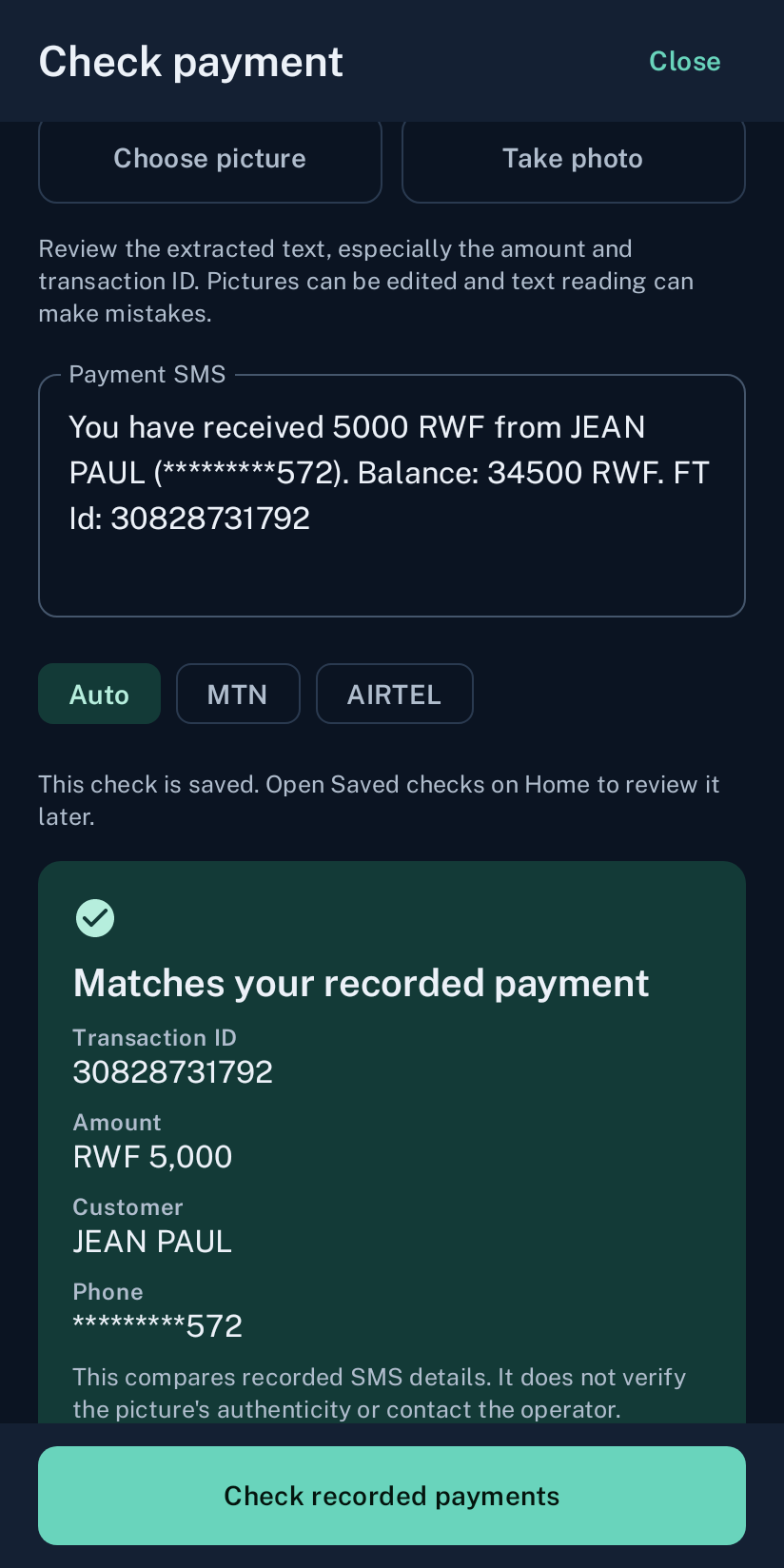
WeConfirm records supported payment SMS received on the shop phone. For a counter sale, the cashier can review the latest receipt and amount. For WooCommerce, WeConfirm Pay compares details submitted for the order with the receipt recorded on the assigned shop phone. An unclear result stays for review instead of becoming a paid order automatically.
The service does not authenticate image pixels, contact the operator or guarantee that every claim is genuine. It gives the merchant a consistent comparison against the record on the receiving phone.
When no matching SMS appears
A missing receipt can have several causes. The customer may have used the wrong destination, the operator message may be delayed, the shop may be checking the wrong SIM, or the phone may have missed the notification. Check the actual operator account through its normal channel before deciding that payment failed. Do not ask for a second payment only because an alert has not arrived yet.
Create one rule for every cashier
Write a short counter rule: goods leave only after the expected receipt is found on the receiving side or a supervisor confirms the operator account. Apply the same rule politely to every customer. Keep wallet PINs and passwords private. If you suspect fraud, preserve the transaction details and use the operator reporting route. MTN Rwanda provides a MoMo fraud report page, and Rwanda Utilities Regulatory Authority advises users to report suspicious messages and calls.