How a cashier can confirm MoMo without the owner phone
A shop can make payments visible to the cashier without passing around the owner’s personal phone or sharing the wallet PIN. The setup begins with a dedicated receiving phone and limited duties.
Separate the shop phone from the owner phone
Use an Android phone that stays at the shop and contains the SIM that receives business payments. Keep personal messages, recovery accounts and unrelated apps off this device where practical. The owner keeps control of the wallet PIN and account recovery while the cashier sees only the information needed to match a sale with an incoming receipt.
Make the payment visible at the counter
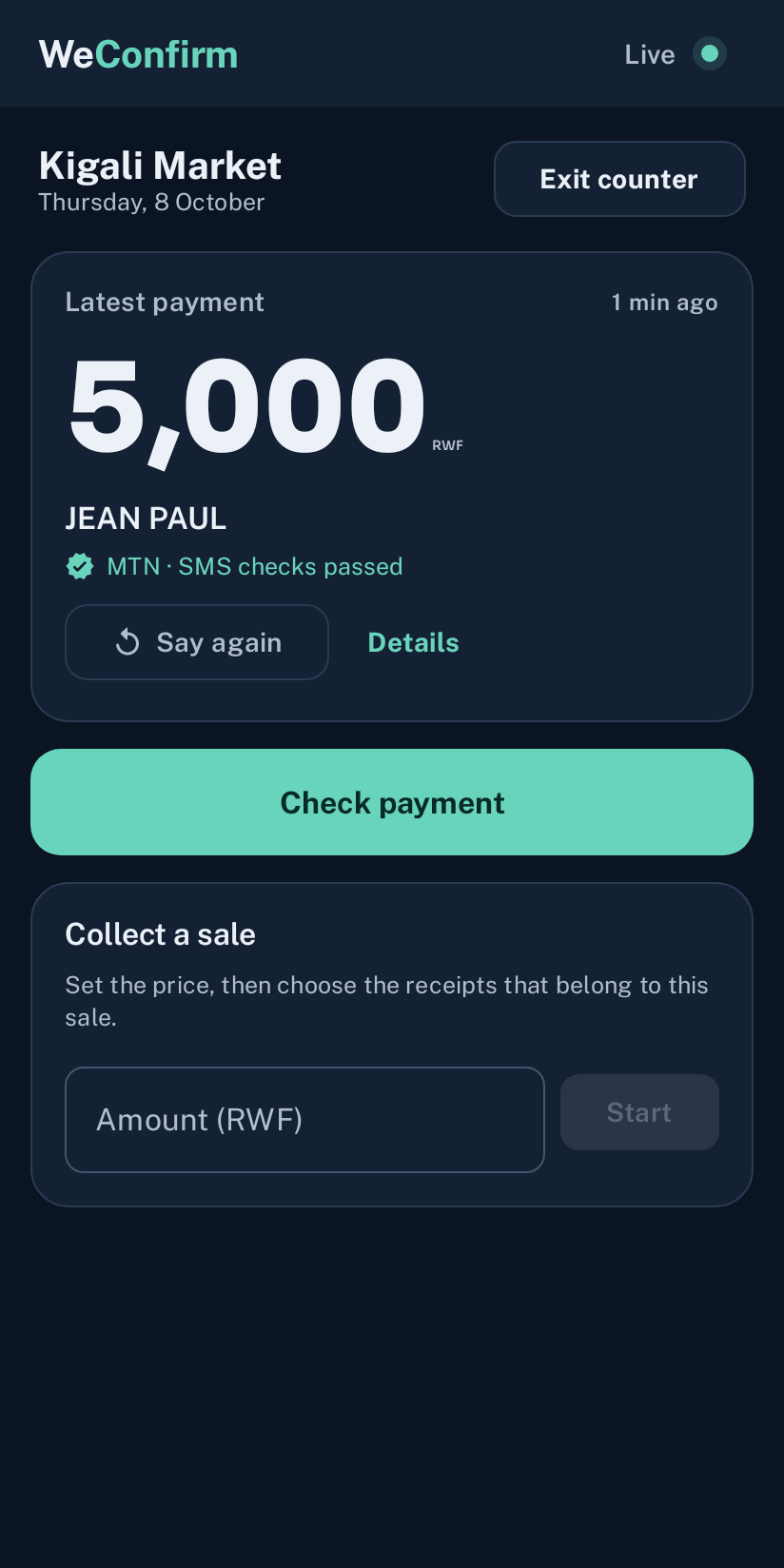
WeConfirm can announce a supported incoming payment and show the latest recorded amount in Counter mode. Set the voice language and volume for the shop, then test a real small payment. Place the phone where staff can hear it but customers cannot take or unlock it. Use a device screen lock and restrict who can change wallet and security settings.
Give the cashier a short check
- Confirm the customer used the displayed shop destination
- Wait for the receiving side receipt
- Compare the amount with the sale
- Open the record when the amount or timing is unclear
- Ask a supervisor to review anything that does not match
The announcement is a prompt to look, not permission to ignore the amount. A screenshot on the customer phone does not replace the receiving record.
Define what the cashier cannot decide alone
Choose one supervisor for missing SMS, wrong destination, duplicate reference, partial payment and refund requests. Write the contact route near the counter. The cashier should never disclose a PIN, accept a remote caller’s instructions to move money or install an unknown app to solve a transaction. Keep account changes and subscription controls with the owner or manager.
Review staff activity at closing
Compare the day’s recorded receipts with completed sales and investigate differences while the shift is recent. Record who reviewed each unresolved sale and its outcome. Remove access promptly when a staff member leaves. A simple routine gives cashiers enough information to serve customers while keeping financial credentials under the owner’s control.